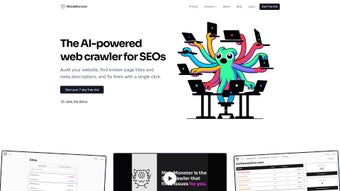

Download MetaMonster – SEO Metadata Crawler, Bulk Optimization Tool
Overview
MetaMonster is a web‑based SEO crawler built to eliminate the tedious grind of metadata creation and correction. Tailored for SEO agencies, freelancers, and niche‑site owners, the platform scans any website, pinpoints missing or broken page titles and meta descriptions, and offers instant, SEO‑friendly fixes. What sets MetaMonster apart is its bulk‑optimization engine, which lets you generate and edit metadata for hundreds of pages in a single workflow.
The tool also integrates directly with popular Content Management Systems through a dedicated WordPress plugin, and it supports CSV export for platforms such as Shopify and Webflow, making publishing a breeze. By centralising the management of multiple sites, MetaMonster automates the repetitive aspects of on‑page SEO, freeing you to focus on strategy, content creation, and link‑building. Its subscription‑based model includes regular updates, priority support, and a roadmap that constantly adds new features, ensuring the tool stays ahead of search‑engine algorithm changes.
Whether you’re auditing a single client site or juggling dozens of domains, MetaMonster promises a secure, scalable, and time‑saving solution for every level of SEO professional.
Key Features
- Comprehensive Site Crawl: Scan unlimited pages across any domain to uncover missing, duplicate, or over‑length meta titles and descriptions.
- Bulk Metadata Generation: Use AI‑assisted templates to create SEO‑optimized titles and descriptions for hundreds of pages simultaneously.
- CMS Integration: Direct publishing via a WordPress plugin; CSV export/import for Shopify, Webflow, Magento, and other platforms.
- Real‑Time Error Reporting: Dashboard highlights critical issues, suggests fixes, and tracks progress with colour‑coded status icons.
- Multi‑Site Management: Centralised console lets agencies monitor and optimise metadata for all client sites from a single account.
- Customisable Rules Engine: Define length limits, keyword placement preferences, and brand‑specific phrasing rules to keep metadata consistent.
- Secure Cloud Architecture: All data is stored on encrypted servers with GDPR‑compliant privacy controls.
- Regular Updates & Support: Monthly feature releases, priority email support, and a knowledge base packed with tutorials.
Each feature is designed to streamline the metadata workflow while adhering to best‑practice SEO guidelines. For example, the AI‑assisted template can be trained with your brand voice, ensuring that every title not only meets character limits but also reflects your unique messaging. The real‑time error reporting reduces the back‑and‑forth with developers, because you can see exactly which tags need attention and why. Meanwhile, the multi‑site dashboard provides a bird’s‑eye view of client health, allowing agencies to allocate resources efficiently and demonstrate measurable ROI to their stakeholders.
Installation, Usage & Compatibility
Getting Started
Because MetaMonster is a cloud‑based service, there is no traditional installation required. Simply sign up on the official website, choose a subscription plan that matches your needs, and you’ll receive a secure login link via email. After confirming your account, you’ll be taken to the main dashboard where you can add your first project.
Adding a Site to Crawl
1. Click “New Project” and enter the domain URL you wish to audit.
2. Select the crawl depth (full site, specific subfolders, or a custom page list).
3.
Choose the language and regional settings if you operate internationally.
4. Hit “Start Crawl”. The system will begin scanning within seconds, and you’ll see live progress indicators.
Bulk Editing Workflow
Once the crawl finishes, MetaMonster presents a sortable table of all detected metadata issues. Use the “Select All” checkbox to apply bulk actions, or filter by issue type (e.g., missing titles). Click “Generate Metadata” to invoke the AI template, which fills in titles and descriptions based on your predefined rules. Review the suggestions, make any manual tweaks, and then click “Apply”. The changes are stored in the cloud and can be pushed directly to WordPress via the plugin, or exported as a CSV for other platforms.
CMS Publishing
For WordPress users, install the free MetaMonster plugin from the official repository, connect it with your account credentials, and sync the generated CSV. The plugin automatically updates the appropriate meta fields without touching your theme files. For Shopify or Webflow, download the CSV, then import it through the respective platform’s bulk import tool.
System Compatibility
MetaMonster runs entirely in modern browsers, so it is compatible with Windows 10/11, macOS Monterey and later, Linux distributions, as well as mobile browsers on Android 8+ and iOS 13+. No additional software, Java, or Flash is required.
Because everything is processed on secure servers, you only need a stable internet connection and a recent browser (Chrome, Firefox, Edge, or Safari). The platform also supports two‑factor authentication (2FA) for added account protection.
Pros & Cons
Pros
- Fast, comprehensive crawling of unlimited pages.
- Bulk metadata generation saves hours of manual work.
- Direct integration with WordPress and CSV export for other CMSs.
- Customisable rule engine aligns metadata with brand guidelines.
- Secure, cloud‑based architecture with GDPR compliance.
- Regular updates keep the tool aligned with search‑engine changes.
- User‑friendly dashboard suitable for both beginners and experts.
Cons
- Subscription pricing may be a barrier for solo freelancers on a tight budget.
- Learning curve for the advanced rule‑engine configuration.
- No native desktop application; reliance on internet connectivity.
- CSV workflow for non‑WordPress CMSs requires a manual import step.
- Bulk AI‑generated suggestions sometimes need fine‑tuning for niche jargon.
MetaMonster delivers a powerful blend of crawling depth and bulk editing efficiency that most SEO tools lack. While the subscription cost is higher than some single‑site crawlers, the time saved across multiple client domains more than justifies the expense. The integration with WordPress is seamless, and the CSV export opens doors for Shopify and Webflow users. Minor drawbacks include a steeper learning curve for the rule engine and the need for an internet connection at all times, but overall the platform is a solid investment for agencies looking to automate metadata at scale.
FAQ & Conclusion
Can MetaMonster crawl password‑protected pages?
Yes. During project setup you can provide HTTP authentication credentials, allowing the crawler to access and analyse protected sections of your site.
Is there a free trial available?
MetaMonster offers a 14‑day free trial with full feature access, so you can evaluate the bulk optimization and CMS integration before committing to a paid plan.
How does MetaMonster handle duplicate meta tags?
The crawler flags duplicate titles and descriptions, and the bulk editor lets you consolidate or rewrite them using custom templates, ensuring each page has unique, SEO‑friendly metadata.
Can I use MetaMonster with multiple languages?
Absolutely. You can set language preferences per project, and the AI template supports multilingual rule sets, making it ideal for international SEO campaigns.
What kind of support does MetaMonster provide?
Subscribers receive priority email support, live chat during business hours, and access to an extensive knowledge base, video tutorials, and community forums.
MetaMonster stands out as a comprehensive, secure, and user‑friendly solution for anyone serious about metadata optimisation at scale. Its ability to crawl any site, generate bulk SEO‑ready titles and descriptions, and push changes directly to popular CMS platforms makes it a must‑have tool for agencies, freelancers, and niche‑site owners alike. While the subscription model requires an upfront investment, the productivity gains and improved search‑engine visibility quickly offset the cost. Ready to stop manually editing meta tags and start automating your on‑page SEO? Click the button below to start your free trial and experience the power of MetaMonster today.
Start Free Trial


.png)



